
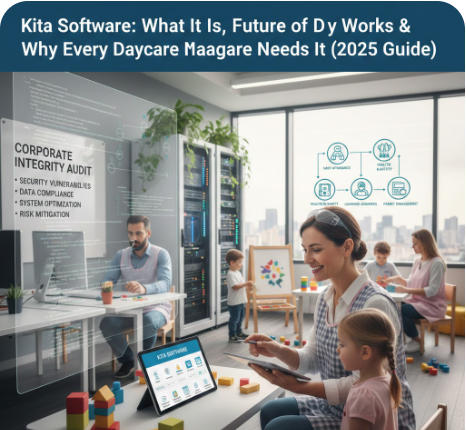
Kita Software: What It Is, How It Works & Why Every Daycare Needs It (2025 Guide)
Managing a modern daycare or early-childhood education center is more complex than ever. Parents expect real-time updates, governments enforce strict compliance requirements, and administrators must balance staffing, billing, scheduling, and reporting — all while ensuring child safety and quality care.
Kita software has quickly become an essential digital tool for daycares, preschools, and early-years learning centers across Europe and other regions. It centralizes operations, streamlines communication, improves record-keeping, and creates a structured workflow that benefits administrators, teachers, and parents alike.
In this comprehensive guide, we explore what Kita software is, how it works, its key features, pricing, vendor comparisons, implementation best practices, and future trends in 2025 and beyond.
What Is Kita Software?
Kita software is a digital management system designed specifically for daycare centers, kindergartens (Kitas), nurseries, and early-childhood learning facilities. The word “Kita” is commonly used in Germany, but similar platforms serve childcare centers globally.
These platforms help administrators handle their daily tasks more efficiently, including:
- Child attendance and check-in/out
- Billing, fees, and subsidy management
- Parent communication and daily updates
- Staff scheduling and shift management
- Documentation and curriculum tracking
- Compliance reporting
- Data access and analytics for better decision-making
A modern Kita software works both on desktop and mobile devices, giving parents and staff convenient access on the go.
Why Your Kita Needs a Management Platform
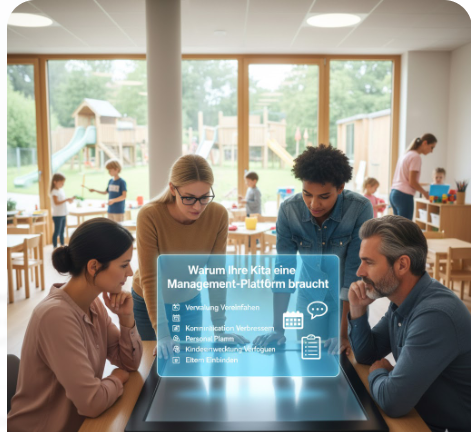
Running a daycare involves high-volume data, sensitive information, and constant coordination. Without software, centers rely heavily on spreadsheets, paperwork, or multiple disconnected apps — which leads to errors, delays, and inefficiencies.
Kita software solves these challenges through:
1. Streamlined Operations
Everything — from attendance to billing — is handled in one unified platform, reducing manual work and administrative stress.
2. Improved Parent Communication
Parents receive notifications, photos, activity reports, and messages instantly through the parent app.
3. Regulatory Compliance
Early-childhood centers are required to maintain detailed documentation. Kita software automates reports, child files, attendance logs, and developmental tracking.
4. Enhanced Security & Data Protection
Kita platforms offer GDPR-compliant data handling with encrypted record storage, making them safer than paper files or messaging apps.
5. Better Workflow for Teachers
Teachers spend less time on paperwork and more time focusing on child development and classroom activities.
In 2025, most modern childcare centers are embracing digital transformation. Kita software is no longer optional — it is a core part of professional childcare administration.
Core Features of Kita Software
Below is an in-depth look at the most important features that top Kita software solutions provide.
1. Attendance & Check-In/Out Management
- Digital check-in via QR code, PIN, or NFC
- Automatic attendance logs for reporting
- Alerts for late pickups
- Real-time overview of children on site
2. Billing, Fees & Invoicing
- Automated monthly invoices
- Support for subsidies and parental benefits
- Online payments and payment reminders
- Transparent fee tracking for parents
3. Parent Communication Portal
- Daily activity reports
- Photos/videos securely shared
- Messaging between teachers and parents
- Event notifications and announcements
4. Documentation & Child Development Tracking
- Learning milestones and observation logs
- Health and behavior tracking
- Progress portfolios
- Curriculum planning
5. Staff Management & Scheduling
- Shift creation and automatic staff allocation
- Absence management
- Payroll-ready timesheets
- Staff performance records
6. Digital File Management
- Secure storage of child medical records
- Permissions and access control
- Enrollment forms and digital signatures
7. Reporting & Analytics
- Attendance trends
- Billing summaries
- Occupancy forecasting
- Staff-to-child ratio insights
These modules help daycare centers operate more efficiently while creating a safe, transparent environment for families.
How Kita Software Works: A Step-by-Step Workflow
Understanding the daily workflow helps illustrate how powerful and practical these platforms can be.
Step 1: Enrollment & Setup
The center enters child profiles, medical details, emergency contacts, staff assignments, and fee structures.
Step 2: Daily Check-In
Parents or staff complete check-in digitally. The system updates attendance dashboards instantly.
Step 3: Classroom Activities & Observations
Teachers record meals, naps, activities, photos, and developmental observations through the mobile app.
Step 4: Parent Notifications
Parents receive real-time updates and daily summaries, improving transparency and engagement.
Step 5: Staff Scheduling
Administrators monitor staff attendance, manage absences, and ensure compliance with ratios.
Step 6: Billing
Invoices are automatically generated at the end of each cycle. Parents can pay online.
Step 7: Reporting
Centers can download attendance logs, compliance files, or performance reports with one click.
This end-to-end digital workflow ensures smooth daily operations and a high level of professionalism.
Top Kita Software Providers & Comparison (2025 Update)
Below is a sample comparison of leading platforms commonly used by daycare centers:
| Software | Best For | Key Features | Pricing |
|---|---|---|---|
| CARE Kita App | Small to medium childcare centers | Attendance, billing, parent portal | Starts at approx. €25/month |
| KigaRoo | German-speaking daycare centers | Documentation, staff planning | Custom pricing |
| Famly | International preschools | Parent engagement, invoicing | Tiered pricing |
| KitaPlus | Compliance-focused centers | Reports, attendance, workflows | Quote-based |
| Procare | Large multi-center organizations | Payroll, billing, reporting | Subscription + add-ons |
(You can expand or adjust this table based on current competitor research.)
Pricing Models & Budget Considerations
Kita software pricing in 2025 generally follows one of three models:
1. Monthly Subscription
A flat rate per month, usually €25–€150 depending on features.
2. Per-Child Pricing
Billing based on the number of enrolled children — suitable for growing centers.
3. Tiered Plans
Basic, Standard, and Premium plans with variable access levels.
Other costs to consider:
- One-time setup/training fees
- Add-on modules
- SMS credits or payment processing fees
- Optional hardware (tablets, check-in devices)
Choosing the right plan depends on your center size and required features.
Selecting the Right Kita Software for Your Region
If your daycare is located in Germany, requirements like:
- GDPR compliance
- State reporting regulations
- Betriebserlaubnis documentation
are essential.
If you are outside Europe (e.g., in Asia, Middle East, or Pakistan), consider:
- Local language support
- Fee management differences
- Parent preferences (e.g., WhatsApp-integrated communication)
- Regional subsidy programs
No matter the region, evaluate:
- Mobile app quality
- Integration with accounting systems
- Security standards
- Customer support availability
- Customization options
Implementation Best Practices
Switching to Kita software is easy if you follow a structured rollout plan.
1. Prepare Your Data
Gather enrollment forms, staff lists, and child records for import.
2. Train Your Staff
Short training sessions ensure teachers use the platform consistently.
3. Educate Parents
Send a launch guide explaining how to use the parent app.
4. Digitize Key Processes First
Start with:
- attendance
- parent communication
- billing
Then add advanced modules later.
5. Monitor and Optimize
Review reports and gather staff feedback to fine-tune usage.
Implementing software is not about adding another tool — it’s about simplifying operations and improving service quality.
Future of Kita Software (2025 & Beyond)
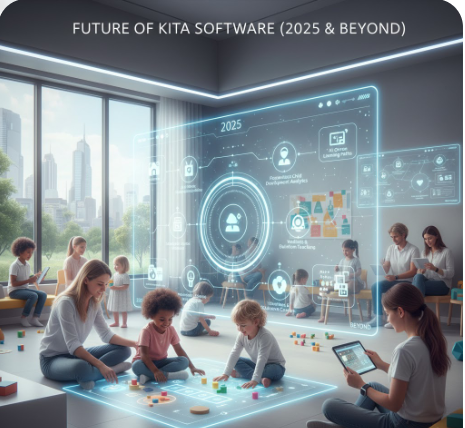
The future of childcare management software is data-driven, automated, and highly personalized. Key innovations include:
AI-Powered Child Development Insights
AI can analyze learning patterns, behavior logs, and milestone progress to offer personalized education suggestions.
IoT-Enabled Classroom Safety
Smart sensors for:
- Air quality
- Temperature
- Sleep monitoring
These enhance safety and give parents peace of mind.
Voice-Assisted Logging
Teachers will soon use voice commands to record meals, naps, or incidents hands-free.
Advanced Parent Engagement Tools
Predictive notifications, video updates, and multilingual support.
Smart Workforce Management
AI-assisted scheduling that optimizes staff allocation based on attendance and ratios.
Daycare centers that embrace modern software will gain a competitive edge in service quality, safety, and parent satisfaction.
Conclusion
Kita software has transformed how daycares and early-childhood centers operate. It simplifies administration, enhances parent communication, strengthens documentation, automates billing, and creates a professional, transparent environment for staff and families.
As childcare demand grows and parents expect real-time insights, adopting a modern Kita management platform is no longer a luxury — it is a necessity. Whether you run a small daycare or a multi-center organization, the right software will improve efficiency, reduce errors, and elevate the quality of care.
FAQS
What is Kita software?
Kita software is a digital management platform for daycare and kindergarten centers. It helps automate attendance tracking, billing, parent communication, staff scheduling, and documentation. By centralizing daily tasks, it reduces paperwork, improves efficiency, and ensures better communication between educators and parents.
How does Kita software work?
Kita software works by digitizing key daycare operations such as check-in/out, daily activity logging, billing, and communication. Staff use a web or mobile app to record data, while parents receive real-time updates. The system automatically generates reports and invoices, making administration faster and more accurate.
What are the benefits of using Kita software?
Kita software offers benefits like automated attendance, faster billing, improved parent engagement, secure child records, better staff scheduling, and easier compliance reporting. These features help daycare centers save time, minimize errors, and maintain consistent communication with families.
How much does Kita software cost?
Kita software typically costs between €25 and €150 per month, depending on features, number of children, and plan type. Some providers offer per-child pricing or tiered packages. Additional charges may include setup, training, or premium modules.
Who should use Kita software?
Kita software is ideal for daycare centers, preschools, nurseries, early-childhood education centers, and multi-branch childcare organizations. It’s especially useful for administrators who need streamlined operations, teachers who want simple activity logging, and parents who prefer real-time updates.