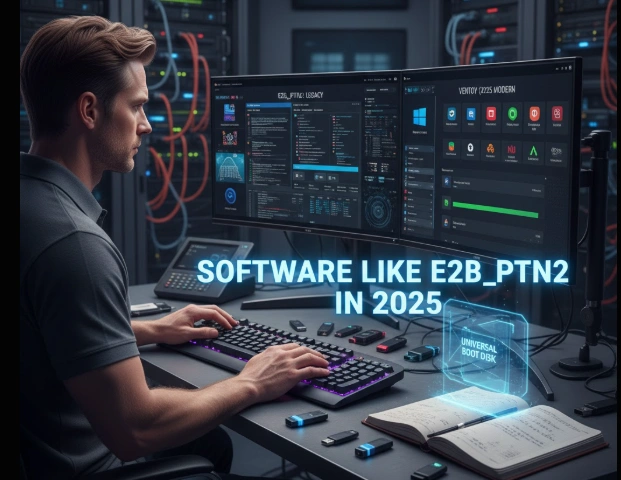
Software Like E2B_PTN2 in 2025: An IT Professional’s Honest Comparison
In my years working in IT and system deployment, I’ve built more bootable USB drives than I can count. From disaster recovery kits to multi-OS installers, these little tools have saved me and my clients countless hours.
One tool that truly stood out in my workflow was E2B_PTN2, part of the Easy2Boot ecosystem. It’s powerful, flexible, and built for those who need absolute control over their boot environments. But as technology evolved, simpler and faster options emerged — like Ventoy and YUMI.
If you’ve been wondering which software like e2b_ptn2 fits your needs best in 2025, I’ve got you covered. This isn’t a theory-based comparison — it’s based on real use, real setups, and real frustrations I’ve had in the field.
What Exactly Is E2B_PTN2 — and Why It Still Matters
Before we dive into alternatives, let’s talk about what makes E2B_PTN2 unique.
E2B_PTN2 is a partition image format used within Easy2Boot, a multiboot USB framework. Instead of juggling ISO files like typical tools, E2B_PTN2 allows you to switch entire partitions on a USB drive. Think of it as swapping operating systems or toolsets on the fly — no reformatting, no rebuilding.
For advanced technicians or IT admins, this flexibility is pure gold. I’ve used it to maintain different USB setups for Windows installs, Linux distributions, and disk imaging utilities — all from one drive.
The downside? It’s not beginner-friendly. Between partitioning, .imgPTN conversions, and setup scripts, it demands some technical know-how. That’s why, in recent years, many professionals (myself included) have started leaning toward simpler, more modern solutions.
The Top Software Like E2B_PTN2 (Tested & Compared)
Over the years, I’ve tested nearly every major multiboot USB tool — some for quick deployments, others for long-term IT lab setups. Here are the top alternatives to E2B_PTN2 that consistently perform well in real-world scenarios.
1. Ventoy – Modern, Efficient, and Practically Effortless
If I had to name one tool that changed how I build multiboot drives, it’s Ventoy.
Unlike E2B_PTN2, you don’t have to convert your ISO files into special formats. You install Ventoy on a USB drive once, then simply drag and drop any ISO or IMG file you want. That’s it. At boot time, it automatically detects and lists them.
What I Love About Ventoy:
- No ISO conversion or extraction — true plug-and-play setup.
- Supports BIOS, UEFI, and even Secure Boot.
- Cross-platform: works seamlessly on Windows, Linux, and macOS.
- Regular updates and open-source transparency.
- Supports persistence for Linux distributions.
When I started using Ventoy in my IT toolkit, setup times dropped dramatically. What used to take me 20–30 minutes per USB build now takes under 5.
The only trade-off is customization. You don’t get as much control over partition-level tweaks or menu themes as you do with Easy2Boot. But for 90% of users, that’s a fair exchange for the simplicity Ventoy offers.
2. YUMI (Your Universal Multiboot Installer) – Reliable and Legacy-Friendly
Long before Ventoy took the spotlight, YUMI was my go-to for multiboot USBs. It’s still an excellent choice, especially if you deal with older systems or BIOS-only machines.
Why YUMI Still Holds Up:
YUMI uses a boot menu-based approach. You can add multiple ISOs — Linux distros, antivirus utilities, Windows installers — and choose which one to boot when you start your machine.
- Extremely easy for beginners.
- Works well with both FAT32 and exFAT file systems.
- Supports large ISO files (over 4GB).
- Great documentation and active community.
- Offers persistent storage for Linux.
In my experience, YUMI shines when setting up recovery drives or demo environments where you need multiple tools handy but don’t want to dive into partition management.
3. Rufus – Simple and Speed-Oriented
Rufus isn’t exactly a multiboot tool, but I’d be remiss not to mention it. It’s my go-to for quickly creating single-purpose bootable drives — like installing Windows or running memtest utilities.
For users who just need a reliable way to flash one ISO at a time, Rufus is unbeatable in speed and reliability.
It doesn’t replace E2B_PTN2 or Ventoy, but it’s an essential companion for quick setups or one-off tasks.
4. BalenaEtcher – Clean, Cross-Platform Simplicity
If you prefer a sleek interface and cross-platform support, BalenaEtcher deserves attention. It’s perfect for flashing OS images to USB or SD cards without the risk of selecting the wrong drive (a lifesaver if you’ve ever wiped the wrong disk before).
While it doesn’t support multiboot, it’s great for deploying single-purpose systems like Raspberry Pi OS or lightweight Linux installations.
Feature Comparison: E2B_PTN2 vs. Alternatives
| Feature | E2B_PTN2 (Easy2Boot) | Ventoy | YUMI | Rufus | BalenaEtcher |
|---|---|---|---|---|---|
| ISO Conversion | Required (.imgPTN2) | Not Needed | Menu-Based | Not Needed | Not Needed |
| Multiboot Support | Excellent | Excellent | Good | None | None |
| UEFI & Secure Boot | Yes (Advanced) | Yes | Partial | Yes | Yes |
| Setup Complexity | High | Low | Low | Very Low | Very Low |
| Customization | Very High | Medium | Low | Low | None |
Step-by-Step: Setting Up a Multiboot Drive with Ventoy
Let’s walk through what I personally do when setting up a multiboot USB using Ventoy — it’s genuinely one of the easiest workflows I’ve ever used.
- Download Ventoy from its official website.
- Extract the ZIP and run
Ventoy2Disk.exe. - Insert your USB drive, select it in the tool, and click “Install.”
- After installation, the USB is ready — just copy your ISO files directly onto it.
- Reboot your PC, boot from the USB, and Ventoy automatically displays all your ISOs.
No partitions to swap. No conversions. It just works.
This setup has been my go-to for quick Linux testing, rescue USBs, and client installation kits.
When E2B_PTN2 Still Outperforms Everything Else

Now, despite all these alternatives, there are certain situations where I still reach for E2B_PTN2.
If I need deep-level customization, like scripting automatic Windows installs, managing multiple partition layouts, or working in enterprise imaging workflows, E2B_PTN2 wins hands down.
Here’s when I still recommend it:
- For labs or IT deployments where you need to simulate full OS partitions.
- When you require automated installations using preconfigured XML files.
- When Secure Boot with custom keys is mandatory.
- For users who want to customize themes, backgrounds, and menus.
It’s more technical, yes — but it gives you an unmatched level of control.
Pros & Cons Overview
E2B_PTN2
Pros:
- Highly customizable and powerful.
- Works with a wide range of file types.
- Great for advanced or enterprise setups.
Cons:
- Complex learning curve.
- Slower setup for beginners.
Ventoy
Pros:
- Extremely easy to use.
- Drag-and-drop ISO management.
- Supports Secure Boot and UEFI.
Cons:
- Limited customization options.
- Occasional compatibility quirks with obscure ISOs.
YUMI
Pros:
- Friendly interface.
- Great for legacy BIOS systems.
- Offers persistence for Linux distros.
Cons:
- Not as modern or fast as Ventoy.
- Slightly limited UEFI support.
Common Issues & Quick Fixes
Even the best tools hit bumps. Here are a few troubleshooting tips from experience:
- USB not booting on UEFI systems:
Disable Secure Boot or use agFM (Alternative Grub for MBR) with Easy2Boot. - ISO not showing up in Ventoy:
Rename it with a standard ISO name or check compatibility on Ventoy’s support list. - Partition image errors in E2B_PTN2:
Always create your partition using the official MPI Toolkit — random converters often corrupt images. - Antivirus false positives:
These tools use low-level disk access, which triggers warnings. Download only from official sites.
Final Thoughts: Which Software Like E2B_PTN2 Should You Choose?
If you’re an IT pro or tech enthusiast like me, your needs probably fall into one of these categories:
- For simplicity: Ventoy is your best bet.
- For advanced control: E2B_PTN2 remains unbeatable.
- For reliable legacy support: YUMI still shines.
In my own workflows, I use both — Ventoy for fast daily tasks, and E2B_PTN2 for structured, professional imaging setups.
The best part? Every one of these tools is free, actively maintained, and backed by strong user communities.
So don’t overthink it — start with Ventoy, experiment, and see what fits your style. You can always grow into E2B_PTN2 when you’re ready for its depth.
Conclusion
At the end of the day, software like e2b_ptn2 exists to make your life easier — whether that’s testing new OS builds, rescuing a system, or deploying multiple environments efficiently.
Ventoy has become my personal daily driver for multiboot tasks, but E2B_PTN2 still holds a special place in my toolkit for complex deployments. The choice really depends on your comfort level and how much control you want.
Either way, you can’t go wrong — these are the best bootable USB solutions available in 2025.
FAQs
Q1: Is Ventoy completely free to use?
Yes, it’s open-source and supported by donations. It’s one of the most transparent projects out there.
Q2: Can Ventoy replace E2B_PTN2 entirely?
Not entirely. It handles most common tasks but lacks the partition-level control and scripting capabilities of E2B_PTN2.
Q3: Which tool is best for Linux distributions?
Ventoy, hands down. It supports hundreds of distros, plus persistence for live sessions.
Q4: Does E2B_PTN2 support Secure Boot?
Yes, though setup requires more advanced configuration and key management.
Q5: Can I use both E2B_PTN2 and Ventoy on one USB drive?
Yes, with a multi-partition setup and agFM integration — but it’s not recommended for beginners.
Q6: What’s the safest way to download these tools?
Always use official websites or GitHub repositories. Avoid third-party mirrors that may include malware.
Q7: Which one is best for IT deployment kits?
E2B_PTN2 still wins when you need automation, multiple partitions, or preconfigured installs.
Q8: Can I create persistent Linux USBs with YUMI?
Yes, YUMI supports persistence for several distros — ideal for portable work environments.